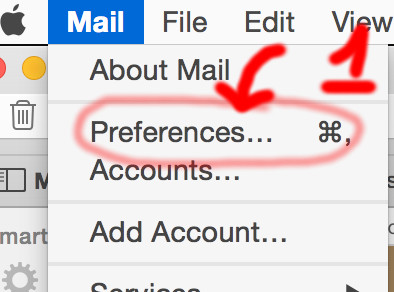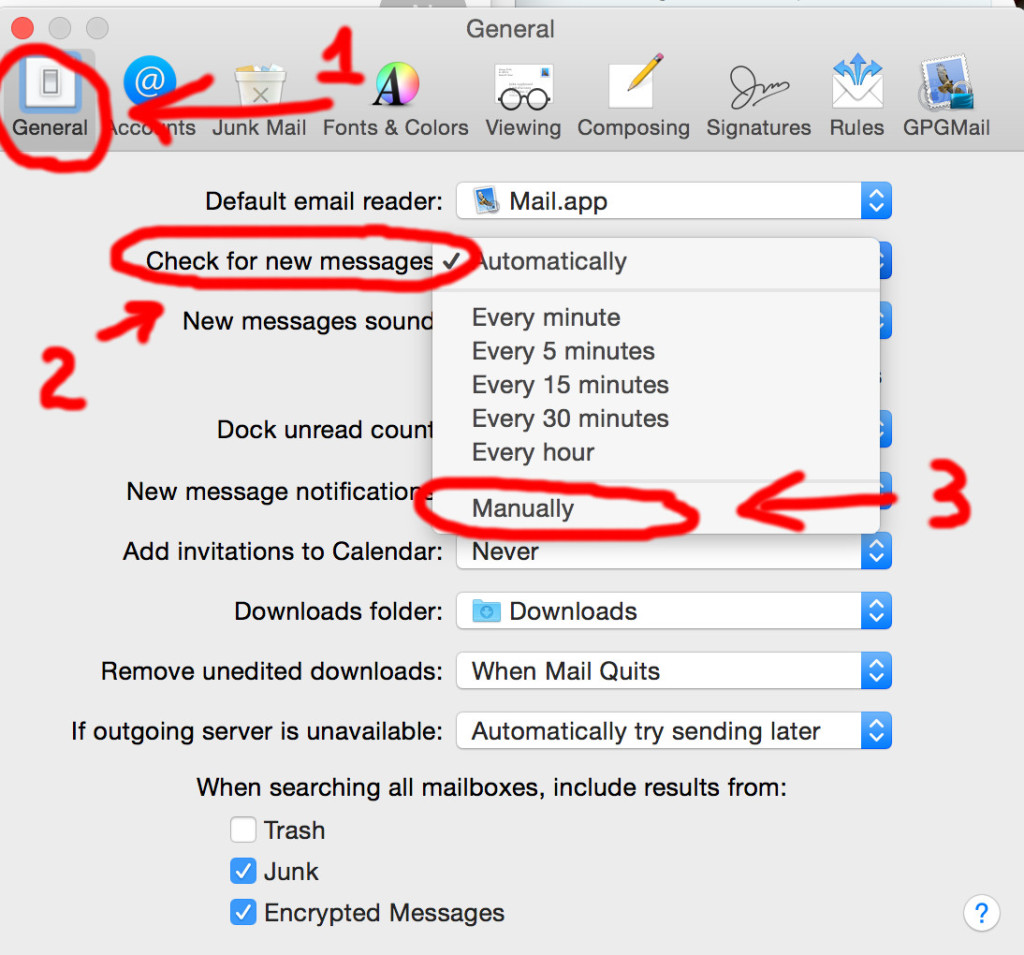
MS TECH Apple Mail – control mail check interval ~~ August 24, 2015 To remove “auto-download of new messages” do the following: A) In Apple Mail (OS-X 10.10), menu “Mail“, Select “Prefences…” B.1) Under your GENERAL tab – 2nd line – “Check for new messages” select “Manually“. Related Posts:dovecot IMAP local server on OS-X for mail archivesApple Hardware OSX Version compatibility ChartOS-X - file system check - fsck in Single User…Apple Mail - create folder and sub-folder structurebash - check that script is being executed by rootYahoo business mail --> Aabaco Small BusinessOSX Volume Cloning - using asr (Apple Software Restore)AppleScript control over SKYPE - call & SMS/Text…Apple Hardware Test / Apple Diagnostics